Lower Overall Print Costs
- Reduce toner and service part costs
- Right-size your print fleet
- Create predictable monthly costs


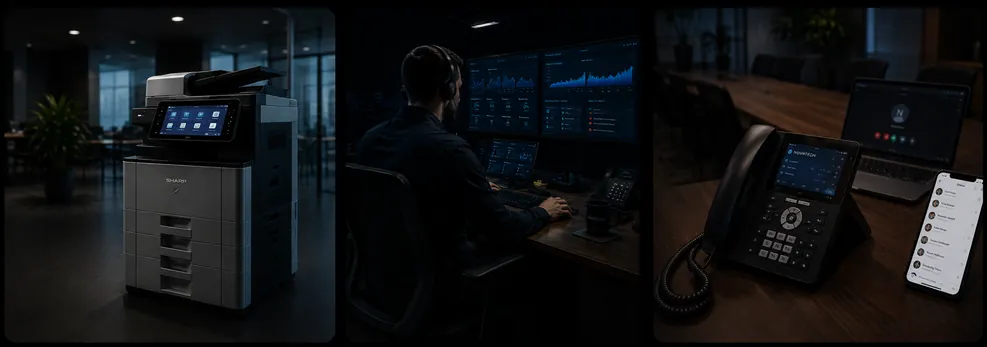
Get the right equipment, competitive pricing, and exceptional service options.
Learn MoreReduce downtime and simplify IT management with proactive support and strategic guidance. Keep systems reliable, employees connected, and your team focused on business priorities instead of IT issues.
Learn MoreReduce risk before threats become business problems. Assess vulnerabilities, strengthen protection, support compliance, and protect critical data.
Learn MoreWhether evaluating Copilot or already deployed, strong data governance and permissions are essential. We help organizations assess, secure, and govern data to reduce the risk of unintended exposure.
Learn MoreWhether you're evaluating office equipment, IT services, or unified communications, our team is ready to help.
Talk to an Expert
Printers & Copiers
Whatever you’re printing, your print environment should make work easier—not create more work.
Novatech helps organizations lower overall printing costs, improve uptime, simplify fleet management, and eliminate the daily frustrations that come with outdated print equipment.
Explore Print Solutions
Right-sized equipment with flexible purchasing options.

Print more in-house while improving quality and turnaround.

Digitize workflows and eliminate manual processes.
 Vendor chaos
 Rising print costs
 Utilization blind spots
 Data security risks
 Novatech
 Lower print costs
 Better uptime
 Increased data security
 Increased productivity
Most organizations lack ownership and visibility of their print environment. The result is higher costs, security risks, excess devices, and lost productivity. Novatech delivers the expertise, visibility, and management needed to optimize print across the business.



Managed IT Services
Technology shouldn't exist in silos.
From cybersecurity and managed IT to cloud communications and business continuity, Novatech brings everything together under one partner—so your team spends less time managing technology and more time running the business.

Reduce downtime, improve productivity, and simplify technology management through proactive support and strategic IT oversight. By keeping systems reliable and employees connected, businesses can focus on their core operations instead of day-to-day IT challenges.
Reliable Operations + Greater Productivity

Make it easy for employees to access what they need, collaborate with coworkers, and stay productive wherever they work.
Scalable Infrastructure + Secure Hybrid Work

Get experienced IT professionals to help implement, move, upgrade, and support your technology without the headaches.
Reliable Project Delivery + Modern Infrastructure

Too many communication tools create confusion, increase costs, and add security risks. Simplify calling, messaging, meetings, and collaboration with one secure, easy-to-manage platform.
Connected Teams + Reliable Communications

Cyber threats never stop, but most businesses can't monitor their networks 24/7. Detect, investigate, and respond to threats before they disrupt your business.
Reduced Risk + Stronger Threat Protection

Stolen passwords and unauthorized access are among the leading causes of cyberattacks. Ensure only the right people have access to the right systems, at the right time.
Secure Access + Protected Identities

Staying secure and compliant can be overwhelming. Gain visibility into risks, address security weaknesses, and build a stronger security and compliance culture.
Compliance Readiness + Clearer Security Oversight

Downtime, cyberattacks, and data loss can bring business operations to a halt. Ensure your organization can recover quickly, maintain cyber insurance compliance, and keep critical systems running when disruptions occur.
Business Continuity + Recovery Readiness

Whether you are evaluating Copilot or have already deployed it, proper data governance and permissions are critical. We help companies assess, secure and govern their data, reducing the risk of unintended data exposure.
Clear Priorities + Confident AI Adoption

Unlock the benefits of AI without sacrificing security, privacy, or compliance. Establish governance frameworks that protect your business while enabling innovation.
Protected Data + Responsible AI Adoption

Many organizations invest in AI tools but struggle to drive adoption and business value. Help employees use Copilot effectively to save time, increase productivity, and work smarter every day.
Increased Productivity + AI Adoption

Manual processes and repetitive tasks consume valuable time and resources. Automate workflows, streamline operations, and leverage AI to help employees focus on higher-value work.
Less Manual Work + More Efficient Processes

NovaVoice
Your business doesn’t stop when you’re away from your desk. Neither should your communications.
From cloud phone systems and video meetings to messaging, contact centers, and business continuity, Novatech helps your team stay connected from anywhere with one modern communications platform. Welcome to NovaVoice.
Explore NovaVoice
Modern VoIP built for reliability and flexibility.

Connect teams across the office or across the country.

Keep your organization communicating—even during outages.

Deliver a better experience for every customer.

Explore Case Studies"Novatech just shined through the other services during our testing.
Our clinics love it. One place to log in and manage everything, it makes life so much easier."

Explore Case Studies"It is easy and straightforward. That is exactly
what you want from your IT department."

Explore Case Studies"Since partnering with Novatech in Sept, 2024, the
City of Auburn cut monthly IT costs by about 50%
and now receives responses in about 2 hours."
Explore Case Studies“We had too many different services to manage. Each
had its own process and cost. It was exhausting.”

Explore Case Studies"Novatech consistently dedicates and trains resources to support new technologies and partner with us, even when the equipment or solutions we need are more specialized. They have always been willing to adapt, take on those challenges, and fully learn how the technology works, how to maintain it, and how to service it properly. Their trained technicians do an excellent job keeping the machines running at a high level."